
Automation vs. AI Agents: What’s the Difference and Which Do You Actually Need?
I built a multi-million dollar business and still got confused by this stuff. Let me save you some time.
Here’s something I don’t admit often: After 30+ years in business, building an Inc 5000 company, and speaking to thousands of entrepreneurs, I still have moments where I feel like I’m faking it.
One of those moments happened about a year ago. I was on a call with a fellow business owner who asked me a straightforward question:
“So should I be using Zapier for this, or one of those AI agent things?”
I had opinions. Strong opinions, actually. I’d been using both tools. But as I started to answer, I realized something embarrassing: I couldn’t clearly articulate the difference. I knew they both “automated things.” I knew I liked one better for some tasks and the other for different tasks. But the fundamental distinction? I was winging it.
I gave him an answer that day. It was… fine. But it bothered me that I couldn’t explain it simply. So I went back and really dug into understanding what makes these tools different. Not the marketing fluff — the actual, practical difference that matters for real businesses.
Here’s what I wish someone had laid out for me in plain English.
The Simple Version
Think of it this way:
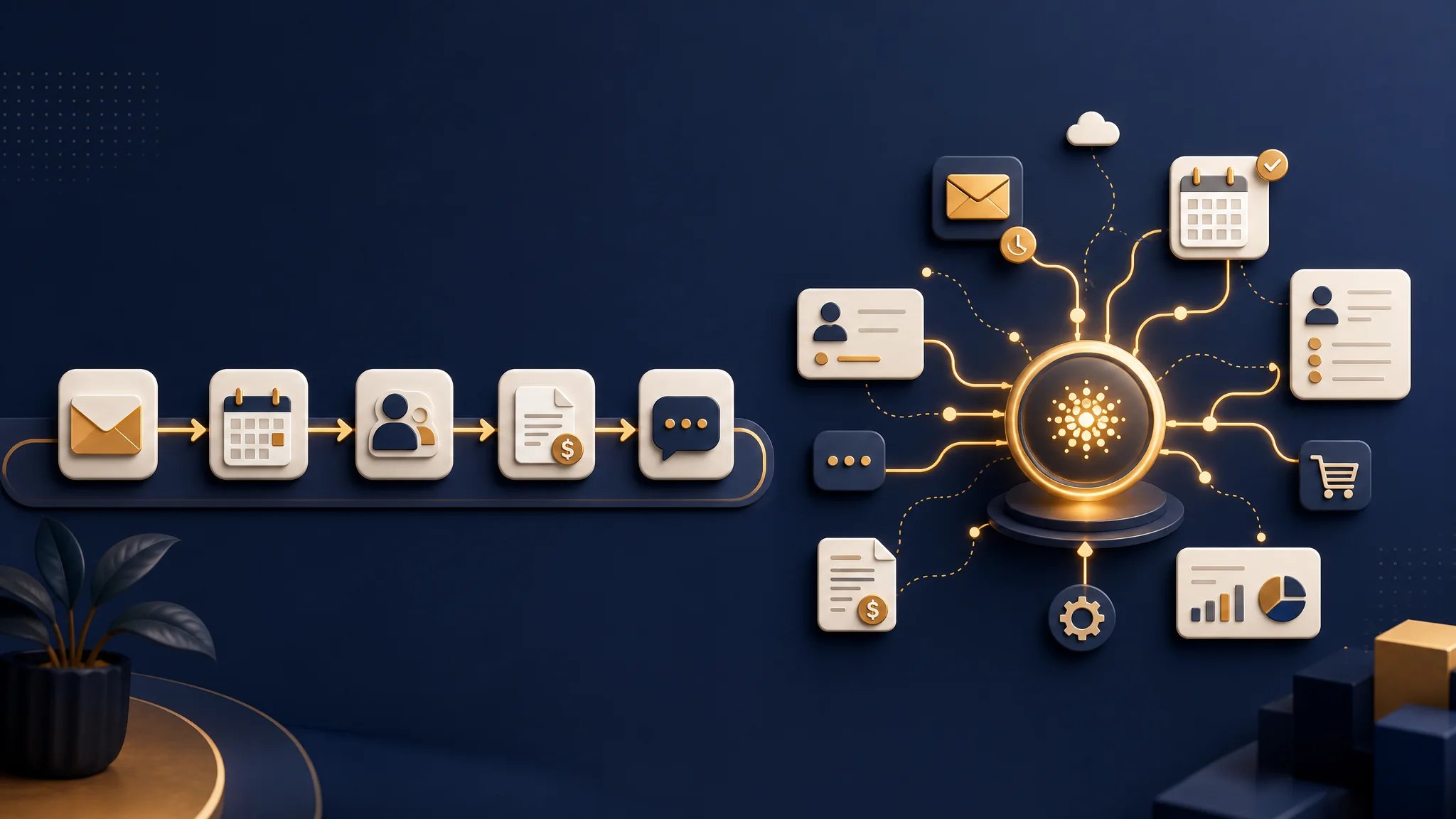
Traditional automation (Zapier, Make, etc.) = A really good railroad. It moves things efficiently from Point A to Point B, but only if you build the tracks exactly right.
AI agents (Lindy, etc.) = A reasonably competent assistant who can read a map, make decisions, and figure out how to get somewhere even if the route changes.
One follows rules. The other understands context.
Both are useful. But they’re useful for completely different things, and pretending otherwise will cost you time, money, and maybe a few sanity points.
When Traditional Automation Shines
Let me be clear: I’m not here to bash Zapier. I’ve got Zapier flows running in my own business that have saved me hundreds of hours. After building multiple companies over three decades, I’ve learned that reliable automation is worth its weight in gold.
Traditional automation is perfect when:
- The task is predictable and repetitive
- The rules never change
- You’re moving data between apps in straightforward ways
- You want something that just works without surprises
Real examples from businesses I’ve worked with:
- When a new lead fills out a form on your website, automatically add them to your CRM and send a welcome email
- When someone books a call on Calendly, create a Google Meet link and add it to both calendars
- When an invoice is marked paid in your accounting software, move that contact to your “customers” tag in your email system
- When a home contractor gets a new project inquiry, add it to their project management board and notify the team
These are “if this, then that” scenarios. Person does X, system does Y. Every time. No exceptions needed.
The beauty of this approach is reliability. Once you set it up, it runs forever (or until some app changes their API and breaks everything — but that’s a different article).
FREE RESOURCE
Want help figuring out which AI tools fit your business?
Take the AI Readiness Assessment. Twelve questions, two minutes, and you get a personalized score plus the next three steps for your business.
Where Traditional Automation Falls Apart
Here’s where I see small business owners get frustrated with tools like Zapier: they try to use railroad tracks to handle situations that need a driver, not a train.
Traditional automation struggles when:
- The task requires judgment or context
- There are exceptions and edge cases
- You need to understand the *meaning* of information, not just move it
- The workflow changes based on circumstances
Real example of automation gone wrong:
I was consulting with a home services company that had set up a Zapier workflow to handle incoming leads. If someone filled out their contact form, they’d get added to an email sequence and tagged based on which form they used. Sounded smart.
Problem: The form didn’t distinguish between “I’m ready to book a $15,000 project” and “I have a quick question about your hours.” So their system treated both the same way. The person with the quick question got three aggressive sales emails and unsubscribed. The hot lead got the same generic sequence as everyone else.
Their automation was doing exactly what they told it to do. It just wasn’t smart enough to know it was doing the wrong thing.
Enter AI Agents: Context Over Rules
This is where AI agents like Lindy change the game.
Instead of saying “if X happens, do Y,” you’re essentially saying “here’s the situation — figure out the best response.”
What AI agents can do that traditional automation can’t:
- Read an email and understand whether it’s urgent, a sales inquiry, or spam
- Look at a lead’s message and decide if they should get a personal call or an automated sequence
- Handle a customer service conversation without following a rigid script
- Make decisions based on multiple factors, not just one trigger
Real example of an AI agent in action:
Same home services company from above — we replaced their rigid Zapier workflow with an AI agent. Now when a lead comes in, the agent reads the actual message, checks the sender’s tone and content, looks at their calendar availability, and decides whether to:
- Book them directly on the calendar (if they sound ready to buy and ask for a call)
- Send a personalized email response (if they have specific questions)
- Flag it for human review with a summary (if it’s complex or high-value)
The AI agent caught that “quick question” person and sent a helpful, non-salesy response. It caught the hot lead and got them scheduled immediately. Same leads, completely different outcomes.
That’s not magic. That’s just… context.
Let’s Get Specific: Side-by-Side
| Situation | Traditional Automation | AI Agent |
|---|---|---|
| New lead fills out your website form | Adds to spreadsheet, sends generic auto-reply | Reads inquiry, qualifies lead, schedules call or sends personalized response |
| Customer emails with a question | Forwards to your inbox (where it sits) | Answers common questions instantly, routes complex ones with full context |
| Someone leaves a Google review | Posts to your social media (same message every time) | Responds appropriately based on positive/negative sentiment, alerts you to problems |
| Follow-up with past customers | Sends identical monthly newsletter | Personalizes outreach based on their project type, timing, and previous interactions |
| Phone call comes in after hours | Goes to voicemail | Answers 24/7, books appointments, answers FAQs, transfers emergencies |
| Retail store gets an online order | Updates inventory and sends confirmation | Recognizes VIP customers, applies loyalty discounts, flags unusual orders |
The Honest Truth About Complexity
I need to share something that took me too long to admit: AI agents are not always better. Sometimes they’re overkill. Sometimes traditional automation is exactly what you need.
The problem is, AI agents are getting a lot of hype right now, and it’s easy to feel like you’re falling behind if you’re not using them. I’ll be honest — I felt that pressure myself, and I’ve been in business longer than some of these tools have existed.
But here’s what I’ve learned from working with dozens of small businesses over the years:
Start with traditional automation if:
- Your workflows are simple and repetitive
- You need reliability more than flexibility
- Your budget is tight (Zapier starts at $20/month; AI agents typically cost more)
- You don’t deal with a lot of customer communication directly
Move to AI agents if:
- You’re drowning in emails, calls, or messages
- You need to qualify leads before responding
- Your responses need to change based on context
- You want to appear more responsive than your team size suggests
Or combine them (this is what I do):
- Use AI agents for the front-end stuff where judgment matters
- Use traditional automation for the back-end data moving where reliability matters
Which Should You Actually Use?
If I were starting from scratch today — knowing what I know after three decades of building businesses — here’s what I’d do:
Month 1-2: Get your basic automations working with something like Zapier or Make. Connect your calendar, your email, your CRM. Get the data flowing reliably. This gives you a foundation and teaches you what your workflows actually look like.
Month 3+: Look at where you’re still spending manual time. Is it on repetitive data tasks? Stick with automation. Is it on decisions, communication, and judgment calls? Start experimenting with AI agents.
The goal isn’t to use the coolest new tool. The goal is to buy back your time without losing the personal touch that made your business work in the first place.
What I Got Wrong (So You Don’t Have To)
I spent my first few months with AI agents trying to automate things that didn’t need AI. I built elaborate workflows that traditional automation could have handled more reliably and cheaply. I was showing off, not solving problems.
Then I spent another few months *not* using AI agents for things that desperately needed them. I watched leads slip through cracks because rigid automation couldn’t handle edge cases. I sent the wrong messages to the wrong people because my system couldn’t read context.
The sweet spot, I’ve learned, is using each tool for what it’s actually good at. Not what’s trendy. Not what sounds impressive when you talk about it at networking events. What actually works. Don’t use a hammer when the job calls for a screwdriver. Neither is “better”. They’re both made for different jobs.
The Bottom Line
If you’re confused about automation versus AI agents, you’re not behind — you’re paying attention. The landscape is changing fast, and even people who work in this space full-time are figuring it out as we go.
After 30+ years building businesses — from startups to an Inc 5000 company — I can tell you this: The tools change, but the fundamentals don’t. You need systems that save you time without alienating your customers. You need technology that serves your business, not the other way around.
My advice? Start simple. Get your basic automations working. Then, when you hit the limits of what “if this, then that” can do, start exploring AI agents for the stuff that actually requires thinking.
You don’t need to be an expert on day one. You just need to be a step ahead of where you were yesterday.
And if you’re still confused after reading this? Honestly, same. This stuff is complicated. But after three decades of figuring things out in business, I’ve learned that we’re all just figuring it out as we go.

Neil Gass
Want help figuring out what automation or AI agents could actually do for your specific business? I’ve spent 30+ years building companies and the last few years diving deep into AI tools for small businesses. I’m happy to talk it through. No pitch, just a conversation from one business owner to another. Email me or grab a spot on my calendar here.