AI Phone Answering Service for Small Business: What It Actually Sounds Like Now
The phone tree you’re picturing is fifteen-year-old technology, and it isn’t what’s for sale anymore. Here’s what one sounds like today, and why we set these up to answer when you can’t.
Quick Answer
An AI phone answering service answers your business phone when you or your staff can’t, books jobs, and captures every lead. We don’t recommend handing it all your calls. We set it to pick up only when you can’t, so callers get a real conversation instead of voicemail. Emergencies are still transferred to your cell.
Say “representative” into a phone menu and it says “I’m sorry, I didn’t catch that.” Everybody has been there.
That machine isn’t what’s being sold now. It’s not a newer version of the same thing. It’s a completely different technology, and the difference is obvious in the first three seconds of a call.
So instead of arguing about it, we’ll show you what one sounds like. Then the part most articles skip: when it should pick up, and when it absolutely shouldn’t.
What Changed Since the Phone Tree You Remember?
The old systems matched your words against a short list and gave up when you went off script. The new ones hold a conversation.
Three things changed, and the first one does most of the work.
The pause went away. Researchers at the Max Planck Institute recorded real conversations in ten languages. Everywhere they looked, people left almost no silence before answering. The differences between languages all fell inside a quarter of a second.
Your ear has known that timing since you learned to talk. The old systems took two or three seconds, and that pause told you it was a machine before it said a word. A good system today answers in well under a second, which is why callers stop noticing.
It handles being interrupted. Cut in with “no, wait, it’s the water heater” and the old system kept reading its menu. The new ones stop, listen, and pick up from what you said.
It works off your business, not a keyword list. You give it your services, hours, prices, and your twenty most common questions. When somebody asks in words nobody thought of, it still finds the right answer.
Put those together and you get something closer to a well-trained new hire than to a phone menu.
Something else changed too, and it isn’t the software. It’s your customers.
We’ve been running these systems for businesses and we score how callers reacted, month by month. Over the twelve months from August 2025 to July 2026, positive caller sentiment at a landscaping business went from 64% to 98%. A chiropractic clinic’s sentiment increased from 66% to 98%. At our own agency, 66% to 94%.
Three different industries, three different customer bases. Here’s the part that matters: those three systems went live seven months apart, and they didn’t improve on their own install dates. They improved on the calendar, together.
So this wasn’t our software getting better with age. The public got used to talking to an AI on the phone. A year ago a caller heard one answer and hung up. They don’t anymore.
If you start now, you inherit a customer base that already made that adjustment. The hard part happened without you.
What Does a Modern AI Voice Agent Sound Like on a Call?
It sounds like a sharp front desk person who knows your services, your service area, and how to get a lead written down correctly.
Rather than describe it, here’s a real one. This is a Saturday morning call to Lawn Frogs Landscaping, one of our clients, from June 2026. The office was closed. The caller’s surname is removed, the rest is word for word off the recording.
Saturday, 8:36 a.m. Length: 1 minute 43 seconds.
Amanda (AI): “Hi, this is Amanda with Lawn Frogs Landscaping. How can I help you today?”
Caller: “I need a French drain installed in my yard.”
Amanda: “We handle French drains and other drainage solutions to help with water issues. May I have your full name so I can get the right person to follow up with you?”
Caller: “Randy, [last name]”
Amanda: “Got it. Just to make sure I have it right, your name is Randy [last name], spelled R A N D Y [last name]. Is that correct?”
Caller: “Correct.”
Amanda: “Great! What’s the best number to reach you at?”
[The caller gives his number and address. Amanda reads each one back and confirms it.]
Amanda: “And when’s the best time for our team to call you back?”
Caller: “Anytime.”
Amanda: “Got it. So that’s Randy [last name], at [number], [address], for a French drain installation, and you’re available anytime for a callback. Did I get everything right?”
Caller: “You did.”
That’s a drainage job captured on a Saturday morning at a closed business.
Right now that same call goes to voicemail, and most people won’t leave one. They call the next company on the list instead.
What it does when the caller isn’t clear
Here’s the part demos never show you. A different Lawn Frogs caller opened with this, from a real July transcript:
Caller: “I need my alarm mode.”
Amanda: “Just to clarify, are you looking for landscaping services or did you mean something else by ‘alarm mode’? Could you tell me a bit more about what you need help with?”
Caller: “I need my grass cut.”
That’s either a mis-heard “I need my lawn mowed” or a caller talking fast on a bad connection. The old phone systems dead-ended on exactly this. Amanda asked one clarifying question and went on to capture the whole job.
What it books, and what it hands you
What happens next depends on your business, and you decide which.
For Lawn Frogs, the AI captures the lead and sets a callback, because nobody prices a drainage job over the phone without seeing the yard. For our own agency, it reads the live calendar and offers real open slots. One caller rescheduled a meeting at 6:50 in the morning, picked a new time from the actual availability, and passed along a meeting agenda while he was at it.
Lead capture or live booking. Both are normal. Which one you want depends on whether your job can be scheduled without eyes on it.
When Should the AI Pick Up, and When Should You?
It should pick up when you can’t. That’s the whole rule, and it’s how we set these up on day one.
We don’t recommend handing an AI all your calls if you can help it. Nothing beats a real person on the phone with your customer. When you or your team can answer, do it.
This doesn’t replace your team. It catches what your team misses because they’re busy, out on a job, or closed. That’s what it was built for.
The calls worth handing over are the ones going nowhere right now. Those callers aren’t choosing between the AI and your best front desk person. They’re choosing between the AI and a beep.
We’ve been running these systems for almost two years, the longest on our own agency’s phone. Callers leave their information with the AI at a noticeably higher rate than they leave voicemails. That’s the comparison that decides this, and it’s the one most owners never stop to make.
How “when you can’t” actually gets set up
The simplest version is a ring count. Your phone rings seven times, nobody picks up, and the call rolls to the AI. Nothing about your day changes. The AI just catches what falls.
You can also run it on a schedule, or use both together. Here’s what that looks like in practice.
| Your situation | What we set it to do |
|---|---|
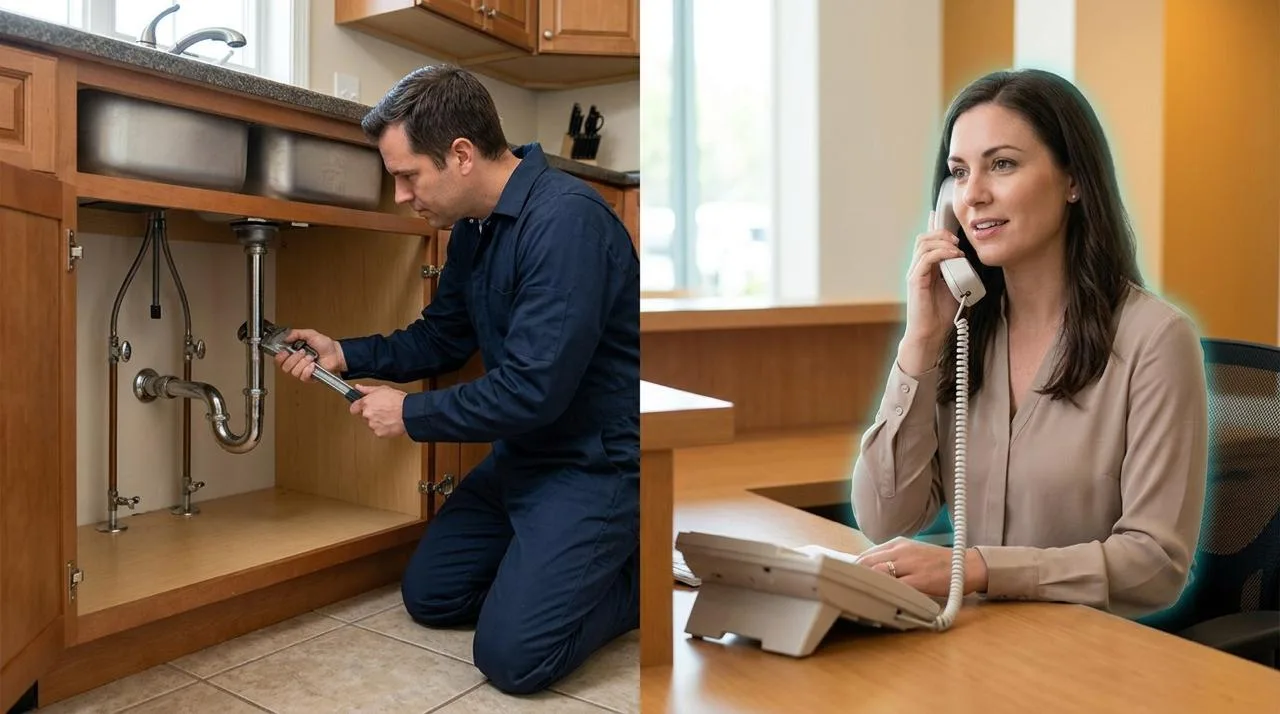
| You’re under a sink, on a ladder, or driving | The phone rings seven times unanswered, then the AI picks up and captures the job. |
| You’re closed for the night | The AI answers from the first ring and has the job on your desk before you open. |
| Weekend or holiday | The AI answers and either books your next open slot or sets the callback, whichever fits your work. |
| You’re already on another call | The second caller gets a conversation instead of a busy signal. |
| Lunch, school pickup, a long install | Put it on a schedule, or let the ring count catch it. Most owners use both. |
| Solo operator, no office, phone in your pocket all day | Some owners run it around the clock on purpose, because “when I can’t” is most of the day. |
| An emergency, at any hour | Your emergency words ring your cell first, then work down the numbers you gave us. |
For some owners, “whenever I can’t answer” honestly does mean around the clock. For most it means nights, weekends, lunch, and the overflow while you’re already on the phone.
You pick the hours. We build to them. You can always widen it later once you’ve heard how it handles your callers, and plenty of owners never bother, because nights and overflow alone already cover what it costs.
What Happens at 9 p.m. When Nobody’s There to Take the Call?
This is the first question every owner asks, and it’s the right one. The AI doesn’t need somebody standing by to be worth having.
Here’s what a properly built system does with a night call, in order.
Routine call. It just handles it. Either it books the appointment on your calendar or it captures the whole job and sets the callback, depending on which we built for you. Either way you find the work waiting at 7 a.m. Nobody had to be awake.
Caller asks for a person. It says a person will call them first thing, takes their number and the reason, and books the callback into your morning. The caller gets a clear answer instead of a voicemail beep, which is the difference between them waiting for you and them dialing somebody else.
Real emergency. This is the rule we build first. Your emergency words trigger a live ring to whatever number you name, your cell or your on-call tech, right then.
So “handing off to a human” at 9 p.m. means one of three things: booking them, promising them a specific callback and keeping it, or waking you up on purpose because it’s worth waking up for. You decide which words trigger which.
Compare that to what happens tonight. Right now every one of those callers hears the same beep.
Should It Tell Callers It’s an AI?
We think yes, and we usually build it that way. Four words in the greeting, in plain English, before anything else happens.
That’s our judgment, not a law and not a study. Here’s the reasoning behind it.
A caller who’s told up front adjusts. They speak a little more clearly, they keep it simple, and they book. A caller who works it out on their own three minutes in feels handled, and that feeling attaches to your business, not to the software.
There’s a practical upside too. Anyone who needs a live person says so in the first ten seconds. Your system starts the callback process right then, instead of five minutes into a conversation that was never going to work.
What the rules actually say
We’re not lawyers and these rules move. As of September 2026, though, almost none of this is aimed at a small business answering its own phone.
The federal rule covers calls you make, not calls you get. In February 2024 the FCC ruled that AI-generated voices count as artificial voices under the Telephone Consumer Protection Act. That’s about robocalls going out to consumers. Your phone answering an incoming call isn’t what it addresses.
State rules on artificial voices are also about outbound calls. California’s AB 2905 is the clearest one. If an auto-dialer plays a recorded message, the announcement has to say the message uses an artificial voice. Outbound again.
California’s new chatbot bill exempts you by size. AB 1609 passed the legislature and was awaiting the governor’s signature in early September 2026. It only applies to companies above $500 million in annual revenue. A small business is outside it entirely.
Utah’s rule is simply to answer honestly if asked. Utah’s AI Policy Act says tell the customer if they ask whether they’re dealing with AI. Stricter rules kick in for licensed professions like nursing and accounting.
Short version: disclosure is good practice and, for most small businesses answering their own line, not a legal requirement today. Check your own state before you launch, because this will keep changing.
Owners are sometimes worried that the disclosure costs them bookings. I think it’s the opposite. Four words up front buys you more than it costs (“the virtual assistant for…”). The alternative is a customer who works it out later and tells people you tricked them. That’s an expensive way to save four words.
And the callers who hang up on the disclosure were going to hang up on the third question anyway. I’d rather find that out in second three than in minute four.
What Does It Cost Compared to What Missed Calls Cost?
Voice AI costs a fraction of what front desk help costs, but the deciding number is what you lose on the calls you’re missing now.
We can show you that math with a real client instead of a hypothetical. Lawn Frogs Landscaping runs about $900 on an average job. Over twelve months the AI handled 813 calls for them.
To cover the entire first year, setup included, three of those 813 calls have to turn into jobs that would otherwise have been lost. Just three. That’s under half of one percent. After year one there’s no setup cost, so it drops to about one and a half calls.
If you run ads, this is where the money actually leaks. You paid to make the phone ring, and then it rang.
The Lead Response Management Study tracked more than 15,000 leads and over 100,000 call attempts across six companies. Businesses that responded within five minutes were 21 times more likely to qualify the lead than businesses that waited 30 minutes. Not 21 percent. Twenty-one times.
Thirty minutes is a lunch. It’s one job site with no signal. And the call that comes in at 8 p.m. isn’t waiting 30 minutes, it’s waiting until morning, if it waits at all.
Whitespark’s 2026 study of local ranking factors puts fast lead response at number four for Google Local Services Ads. Google is watching how fast you answer. So is the customer.
What a missed conversation actually costs, by accident
We found this one the hard way. In June 2026 a website plugin conflict knocked the chat agent offline at Mason Mountain Mine, a gem mining attraction we run, for about a month. Conversations collapsed to six.
When it came back up, it handled thirty conversations in eighteen days. The highest rate in eighteen months of running it.
The demand never went anywhere. It just stopped being answered. That’s the clearest picture we have of what your unanswered calls are worth, and we only have it because something broke.
We break down the software-versus-hiring math in our guide to AI receptionists for small business, so we won’t repeat it here.
How We Launch One Without Risking Your Reputation
We start it where a bad call costs you nothing, prove it on real calls, then widen it. You’re never handing it your front line on day one.
First, we map your actual calls. Not a template. We go through what people really call you about, what you charge, what you won’t do, and which words mean drop everything. That map becomes the escalation rules, and we write those before we write a single line of greeting.
Then it goes live on the calls you’re already losing. Nights and weekends first, or the seven-ring rollover, or both. Your daytime line doesn’t change at all. It’s measured against voicemail, which is the easiest bar it will ever face and the one where every win is found money.
We test it before your customers do. We call it, try to break it, get angry at it, and check that the emergency rules fire the way you said. You listen to those recordings with us and tell us where it doesn’t sound like your shop.
Then we tune it on real calls. Overflow next, so nobody hears a busy signal. We review recordings weekly for the first month and fix what we hear. You decide whether it ever picks up on the first ring during business hours, and plenty of our clients never turn that part on. They don’t need to.
That’s the part vendors leave to you. Buying voice AI is easy. Getting it to sound like your business, route the right calls, and stop bothering you about the wrong ones is the actual job.
We know because we got it wrong first, on our own phone. Our agency’s system scored zero percent positive caller sentiment in April 2025. Optimal Health sat at 13% that June. We found those problems on our own calls and our own clients’ calls, fixed them, and every one of those fixes is already built into what we install today. You’re not paying for our first year of learning. We already did.
Ready to stop losing calls after five o’clock?
Most vendors sell you a voice and hand you a script editor. We map your real calls and write the escalation rules first. Then we connect your calendar and CRM and tune it on live recordings until it sounds like your shop. Then we keep watching it.
The Bottom Line: Your Phone Is Already Costing You Jobs
Every call that didn’t get answered last week was likely a customer who wanted to give you money. Most of them called somebody else that same night.
That’s the number this decision turns on. Not whether a machine is as good as your best front desk person, because it isn’t and we won’t pretend otherwise. Only whether you’d rather have the booking or the voicemail on the calls nobody was there to take.
Meanwhile 87% of small business owners already use at least one AI tool, and more than half use one every day. The ones pulling ahead in your market aren’t smarter than you. They’re just answering the phone more often.
You can hear five real calls in our recent video showing how the agent handled them.
If you want more background first, the AI receptionist guide covers the buying decision and cost math. If follow-up after the call is where things fall apart, read our small business lead follow-up guidance. That guide also explains automation and AI agents if any of this is new.
Frequently Asked Questions About AI Phone Answering Services
Do customers hang up when they realize it’s an AI?
A few do, and they’re the ones who would have hung up on the answering machine anyway. Telling callers up front turns that into a faster message collection instead of a bad surprise. The rest book their appointment and get on with their day.
Can an AI phone answering service book straight into my calendar and CRM?
It can, and whether it should depends on your work. Our agency’s agent reads live availability and books real slots. Our landscaping client captures the job info and sets a callback instead, because nobody prices custom jobs without seeing the details first. Either way the lead ends up in the CRM.
What happens if somebody calls with an emergency?
Your emergency words trigger a live transfer to whatever number you name, ahead of everything else. We build and test this rule first.
Will it understand callers with strong accents or noisy job sites?
Most of the time, yes. In our opinion it’s better than most humans at understanding a wide variety of accents. When it isn’t sure, it asks. Either way, you’ll have an audio recording of the call to listen to yourself.
Can it handle more than one call at a time?
Yes, and that’s one thing no human front desk can do. Five people calling at once all get answered instead of four hearing a busy signal.
What happens if it gets something wrong?
You hear it, because every call is recorded and we review them with you. A wrong answer is usually a missing answer, and it takes about five minutes to add. The system gets more like your best employee every week instead of less. It’s constantly learning. You can even give each call a quick “thumbs up or down” on how it handled the call to reinforce the learning.
Sources:
1. InsideSales.com/MIT: Lead Response Management Study (2007)
2. SmallBizStrategy.ai: AI Front Desk + Lead Follow-Up case study evidence (2026)
3. Whitespark: Local Search Ranking Factors (2026)
4. Stivers et al.: Universals and Cultural Variation in Turn-Taking in Conversation (2009)
5. FCC: AI-Generated Voices in Robocalls Are Illegal (2024)
6. California AB 2905: Artificial Voices
7. California AB 1609: Customer Service Chatbots
8. Utah SB 226: Artificial Intelligence Consumer Protection Amendments (2025)